Batch Codes
Each time you Enter Donations, you have the option to apply a Batch Code which is a label that identifies the overall purpose of the batch of donations. Each batch code contains a description that further explains the purpose for that batch code.
Use the Batch Codes screen to add, change, or remove the codes used in the software.
To access the Batch Codes screen:
- Click Donations in the Button Bar at the top of the screen
- Click the Batch Codes button:

From this screen you can do one or more of the following:
 Add a New Batch Code
Make a choice of what to put for a code and description. Then, press Add. The new code will be added to the list of available Batch Codes. When you are finished, click the OK button at the bottom of the screen.
Change an Existing Batch Code
Click the area that you want to change. For instance, if you want to change a code of a certain item in the list, click inside the Code field.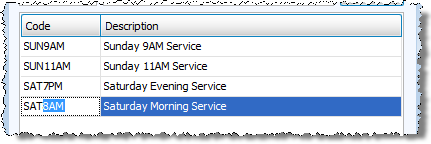
Make the desired changes and press the ENTER key on the keyboard when finished. The changes will show on all past and future transactions.
When you are finished, click the OK button at the bottom of the screen.
Remove a Batch Code
The software will let you remove a batch code only when the batch code has not been used in the software. To find out which case applies to you, click the item you wish to delete and click the — Remove Selected button at the bottom of the screen.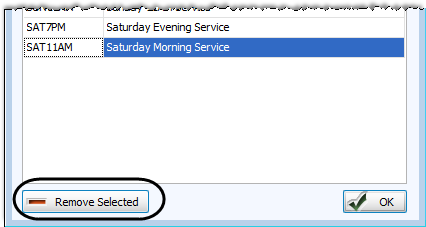
If you get the following message and wish to delete the item from the list, click the Yes button and the batch code and description will disappear from the list. 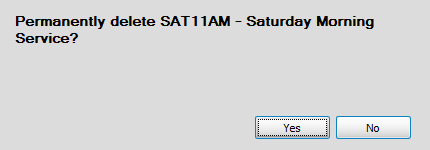
Otherwise, if you receive the following message, press OK and the batch code and description will not disappear.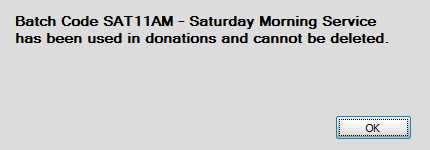
This also means that you will not be able to delete the batch code and descriptions until next year. To find out or change when your next year begins, go to the Donations Settings screen and check above the setting for the Start Month and the default date range that appears.
When you are finished, click the OK button at the bottom of the screen.
